It’s called Tardy. You won’t be. Canvas tells you what’s due. Tardy finds time to get it done. A study plan that fits around classes, work, and the rest of your life.
Public beta · US residents 18+ · iPhone and iPad
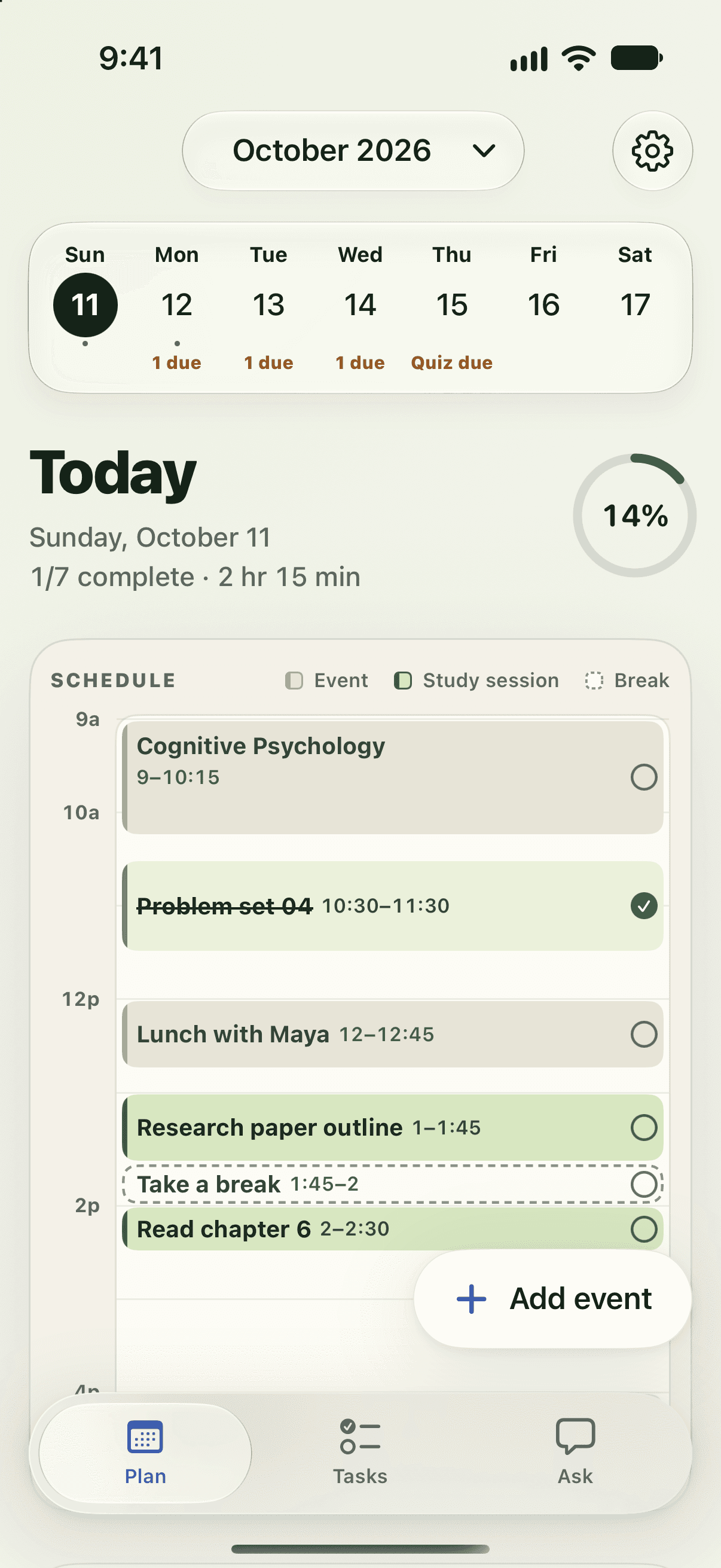
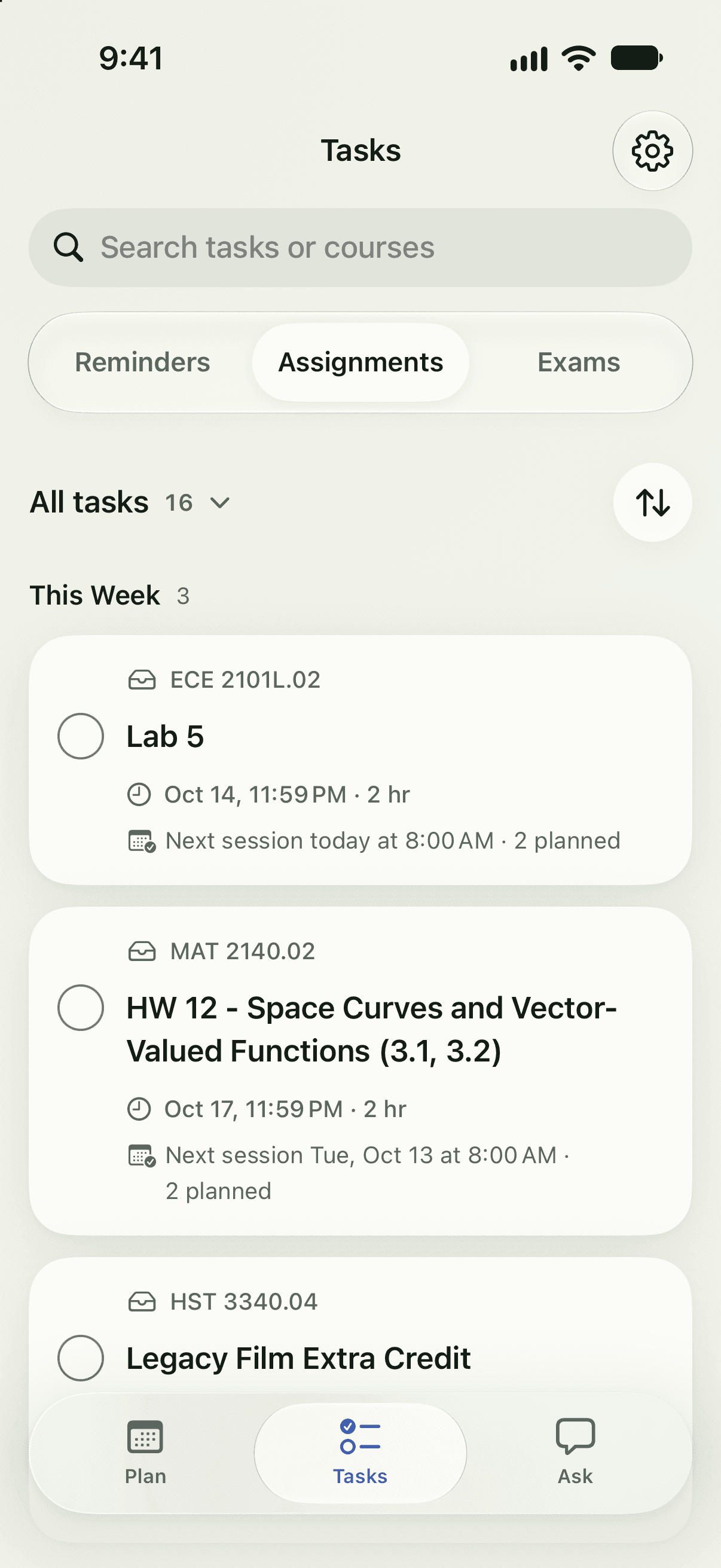
Today’s classes, study sessions, and breaks in one plan. From due dates to a daily plan. 01 Connect Canvas. Paste your calendar link to bring in assignments and deadlines.
02 Make room for your life. Add your calendar and choose when you want to study.
03 Follow a plan that adapts. Check off sessions or ask Tardy to help rearrange your day.
Skip the calendar example A sample week From due to done
Canvas brings in three deadlines: a lab report, an essay outline, and a reading response. Classes and work are already on your calendar. Tardy finds time for all three assignments around those commitments, before their deadlines. Your Wednesday shift moves to 1 PM. Ask Tardy proposes moving the essay session to Thursday at 1:30 PM. You review the proposal before anything changes. After you approve, Tardy updates your work shift and moves the essay. This sample walkthrough shows the approved result. Due dates need time. Canvas brings the deadlines. Your life is already on the calendar.
Everything finds a spot. Study time fits around your classes and work.
A new shift. A new plan. Your shift starts at 1 PM. Review before anything moves.
Approved. Back on track. Your shift and study session update together.
↓ From Canvas
✓ Approved: Essay → Thu, 1:30 PM
Wed 14 Thu 15
9a 11a 1p 3p 5p 7p
Chem
Work 1–7 PM
History
Proposed
Lab report Due Fri
Essay Due Mon
Reading Due Fri
One planner
Everything your week needs. A few less things to figure out yourself.
Skip the feature walkthrough 01 Ask TardyExample
Life has other plans. Tell Tardy what changed.
A change to review. The essay needs a new spot. You get the final say.
Approved. And moved. Your appointment fits. Your essay still has time.
Ask for a schedule change. Tardy proposes a new time; your calendar changes only after you approve.
“Dentist Thursday at 1. Move my essay session.”
Thursday 1 PM
Friday 1 PM
Dentist 1–2 PM
Essay 1–2 PM
Approved in this example
02 Task prioritiesExample
Three things. Where to start? Due dates only tell part of the story.
Put the important stuff first. Priority brings the right work to the top.
There’s your next step. Start with the lab report.
Tardy organizes your tasks by priority so you can see what to work on next.
03 Syllabus scannerExample
Somewhere in that PDF… Your exam dates are buried in the syllabus.
There they are. The important dates, pulled into view.
A quick check. Then a plan. Review the details before adding them.
Tardy finds dates in your syllabus. Review the extracted details before adding them to your plan.
Midterm October 14
Final exam December 9
Reviewed dates · ready to add
04 Assignment summariesExample
Quite the reading assignment. And these are just the instructions.
Here’s what matters. The key requirements, in a few lines.
Know what you’re taking on. A time estimate helps you plan. Check the original.
Tardy condenses assignment instructions and estimates study time. Check the original for full requirements.
1,200–1,500 words
3 pieces of evidence
2 course readings
About 4 hours
School passwords stay with your school. Tardy never submits assignments. Review chat’s calendar proposals before applying them.
Privacy details ↗
Public beta · US residents 18+ · iPhone + iPad
Get your week together. Tardy is open for testing. Get the beta through TestFlight and put it to work on your own week.
Download Tardy ↗ Open on your iPhone or iPad. Install TestFlight, then install Tardy.